


Zipper Lock Screen Customizer
4.618.00 Reviews
App Specs
- Version
- 1.1.8
- Updated On
- License
- Free
- Downloads
- 1,000,000+
- Developer
- Midas Studio App
- Categories
- Art & Design
- Platform
- Android
Screenshots
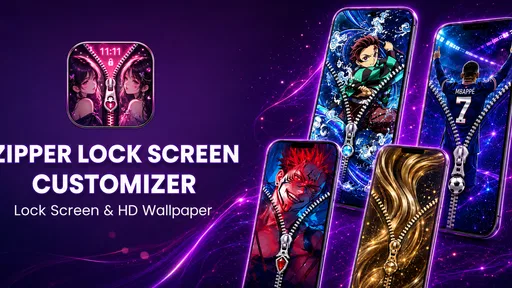
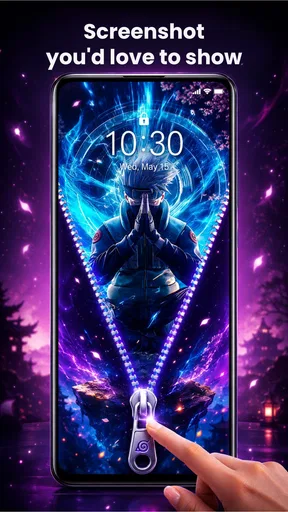
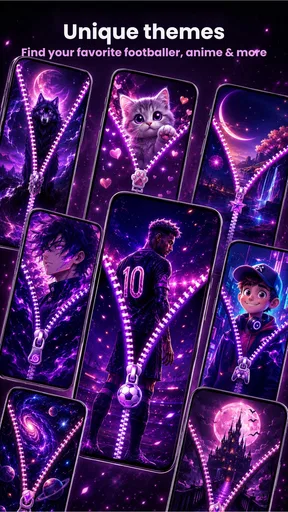
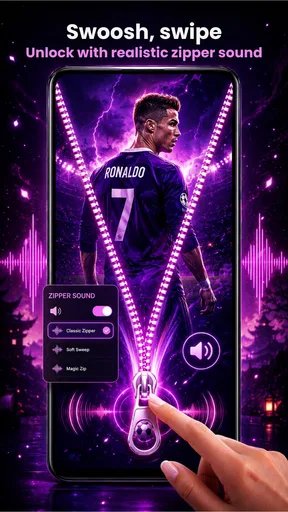
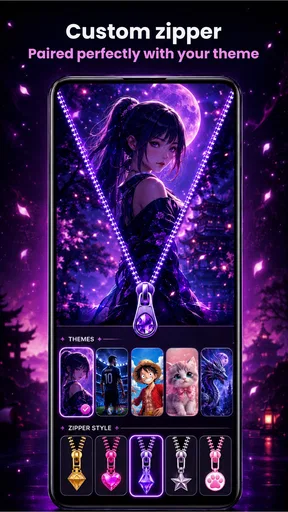
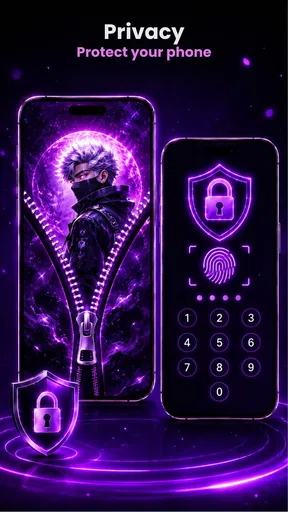
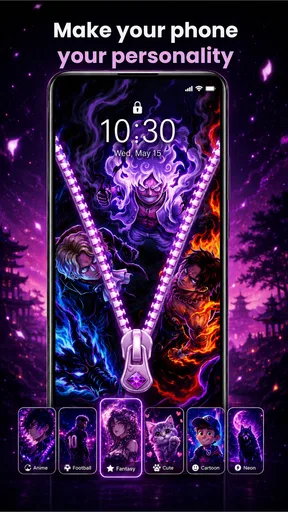
 Analysis by AppCompare
Zipper Lock Screen Customizer is aimed at a very particular kind of phone personalization: instead of treating the lock screen as a static picture, it gives the screen a zipper-inspired look, with wallpaper styles and zipper designs as the main attraction. I can see the appeal if you enjoy changing your phone’s appearance and want something more playful than the wallpaper options built into Android. The idea is easy to understand, but the app’s value depends on whether you enjoy this visual effect enough to make it part of your everyday setup.
A free starting point, with optional spending
The app is free to download, so you can explore its basic proposition without paying upfront. It also offers in-app purchases priced from $1.99 to $14.99 per item. That gives you a clear distinction between trying the app and choosing to spend: the free entry point is useful for deciding whether the zipper style suits you, while any purchase should make sense only if it adds something you personally want to keep using.
I would not treat the existence of paid items as a reason to buy before trying the experience. The important question is whether the available look fits your taste and remains practical when you check your phone throughout the day. If you mainly want a calm background or a conventional lock screen, a built-in wallpaper picker may already do the job. If you like a more decorative screen, the free download gives you a sensible way to judge the concept first.
The developer is Midas Studio App. The app has a 4.6 average from around 6.4K ratings, alongside 18 written reviews, and has passed 1M+ installs. Those figures suggest that the idea has found an audience, but they do not tell me which designs people prefer or whether a paid item will be worthwhile for you. I would use them as context, not as a substitute for deciding whether the style works on your own phone.
What the zipper idea adds to a wallpaper
Most wallpaper apps are about choosing an image and setting it as a background. This one makes the zipper treatment part of the point: the screen is meant to feel customized through the combination of wallpaper and zipper styling, rather than through a picture alone. Its collection is described as having more than 1000 HD wallpaper styles, which gives the concept room to suit different moods instead of locking every user into one look.
That combination is potentially more useful than it first sounds. A detailed zipper effect can become busy against a detailed image, while a simpler background may leave the visual treatment easier to notice. When choosing a design, I would compare the wallpaper and zipper together rather than picking each in isolation. A background that looks appealing in a preview may compete with the zipper once both elements are on screen.
There is also a practical distinction between a lock screen that looks good in a screenshot and one that works during repeated, quick checks. I would favor a design with enough contrast and visual breathing room around the information I need to read. The decorative effect should frame the screen, not make it harder to glance at. That is a useful way to narrow a large collection: decide first whether you want a bold novelty or a quieter look, then choose imagery that supports it.
Worth Reading Before You Choose

Switching to Android Auto Means Rethinking Your Driving Routine

Google Calendar Makes a Crowded Week Easier to Manage

Baby Panda World Brings Quick Play to Modern Phones, but Its Game Library Feels Busy

ESPN’s Live Game View Makes Following Close Games Easier

QuizzLand Review: A Good Fit for Short Trivia Breaks, Not Every Player

Basketball Stars: Multiplayer Is Fast, but Can It Recover When Matches Go Wrong?
The app is listed in the art and design category, and that is a fair fit. It is not trying to replace a full illustration or photo-editing tool. Its appeal is more focused: changing how the lock screen looks through themed visual choices. If you are looking for detailed image editing, layers, drawing tools, or a general-purpose design workspace, this is the wrong kind of app. If your goal is a distinctive phone screen without building a design from scratch, the narrower focus may be an advantage.
How I would choose a design for daily use
A realistic use case is changing your screen to suit a new phone case, a seasonal color preference, or simply a look you are tired of seeing. Rather than browsing endlessly, I would start with one wallpaper style that matches the phone’s overall appearance, then select a zipper treatment that does not overwhelm it. After setting it up, check the screen in ordinary conditions: when you pick up the phone briefly, when the display is dim, and when you are using it in a bright place. The right choice is the one that stays pleasing and readable outside the preview.
Another useful approach is to think about what you see most often. If you unlock your phone frequently, a high-contrast, elaborate design may become tiring faster than a subtle one. If you mostly want a fun visual change that friends might notice, a more distinctive combination may be exactly the point. This is a personal trade-off rather than a technical rule, but it helps prevent the common mistake of choosing the most eye-catching preview without considering how it will feel after repeated use.
One limitation of a large wallpaper selection is that more choice can make it harder to settle on a design. I would avoid treating the catalog as a task to complete. Pick a few candidates, compare them on the actual phone, and stop once one feels comfortable. The best result is not necessarily the most elaborate one; it is the design you still like after the novelty wears off.
Trade-offs against ordinary lock-screen options
Android’s built-in wallpaper choices are the simpler alternative. They are a better fit if you want a straightforward background, prefer fewer customization decisions, or do not want a decorative zipper theme. A conventional wallpaper can also be more restrained, which may suit a work phone or someone who wants the lock screen to stay visually quiet. This app makes more sense when the zipper treatment itself is part of what you want.
Compared with a general wallpaper catalog, the focus here is more specific. That can be a strength if you already like the concept: you are not opening a broad art tool and trying to invent the effect yourself. It can also be a constraint. If you want a screen that looks entirely different from the zipper-led style, a conventional wallpaper app or the phone’s own settings may offer a better match.
I would also keep expectations grounded around customization. The confirmed premise is wallpaper styles and custom zippers; that is enough to understand the app’s identity, but it is not a reason to assume every aspect of the phone’s lock screen can be redesigned. People who need granular control over system layout or other lock-screen behavior should choose a solution specifically suited to that need. For someone who mainly wants a fresh visual treatment, the narrower promise is easier to evaluate.
There is a small but important difference between a decorative app and a system-level feature. Before relying on a new lock-screen look as part of your everyday setup, check that the result behaves the way you expect on your device and that you remain comfortable with your normal way of accessing the phone. If you decide the effect is not for you, returning to a standard wallpaper is a reasonable choice. I would not make the visual theme more important than a familiar, usable phone routine.
Who is most likely to get value
I would recommend giving it a try if you enjoy personalizing your phone, like playful visual details, and are happy to spend a little time comparing combinations. It is especially suited to someone who sees the lock screen as part of their phone’s style rather than as a blank, functional backdrop. The free download makes that trial low-commitment, and the art-and-design focus keeps the experience centered on appearance.
It is less suitable for people who want a minimal screen, dislike decorative effects, or prefer to make one wallpaper choice and forget about it. It is also not the option I would pick for someone seeking a broad design suite or extensive control over unrelated phone settings. If that describes you, the built-in Android wallpaper controls or a general wallpaper app will probably be less distracting and more direct.
The app is marked for Everyone, and it supports Android 8.0 or later. It is currently version 1.1.8, released on Jul 16, 2026. Those details help you check whether it is a plausible fit for your device, but the more personal compatibility test is still whether you like the look and find it comfortable to use. I would make that visual decision before considering an optional purchase.
My verdict: try the look before paying
Zipper Lock Screen Customizer has a clear purpose: it offers a zipper-themed way to give an Android lock screen more personality, supported by a broad selection of wallpaper styles. I like that the concept is focused and that the free download lets you decide whether the effect suits you before spending. Its strongest point is not that it replaces every wallpaper or customization tool, but that it gives fans of this particular style a straightforward place to explore it.
The trade-off is equally clear. A zipper-led screen will not appeal to everyone, and a visually busy design can be less comfortable than a simple background when you check your phone repeatedly. I would start with a restrained combination, judge it in everyday use, and only then consider whether any paid item is worth buying. If you want a playful lock-screen makeover, it is worth trying; if you want a quiet, conventional screen or deeper design controls, I would skip it and use a more suitable alternative.
A quick routine for deciding whether to keep it
I would treat the first setup as a short trial, not a commitment. Choose one design that is easy to read, live with it through a normal day, and notice whether the zipper detail still feels enjoyable after the first few unlocks. If you find yourself wanting to change it immediately, that is useful feedback: the effect may work better as an occasional novelty than as your permanent screen.
For example, if I were changing the look before a busy day, I would pick a subdued wallpaper and avoid a zipper color that blends into the image. That keeps the screen distinctive without making every glance feel like a visual puzzle. A brighter, more elaborate combination might be better for a weekend or a personal phone than for a device I check quickly while working. The right choice depends less on the most striking preview and more on where and how often I use the phone.
What to check before spending
The free download answers the first important question: whether this style appeals to you at all. Before buying an item, I would check that the design addresses a specific preference rather than simply adding another option to browse. If the free choices already give you a look you enjoy, there is no reason to spend just because purchases are available. If a paid choice is the one you genuinely want to keep, its value is personal rather than something that can be judged from the price range alone.
I would also separate the app’s visual role from expectations about the phone’s system controls. It is best approached as a way to explore a themed appearance, not as a promise that every device will present or behave identically. If you depend on a particular lock-screen routine, test the result before making it part of that routine. That small check is especially worthwhile for anyone who needs the screen to stay simple and predictable.
Where it fits among personalization choices
For someone who already likes themed accessories, custom cases, or coordinated colors, the zipper treatment can make the phone feel more deliberately styled than a plain background does. The appeal is that the design choice is ready-made: I can focus on matching the visual elements rather than opening an editing tool and building a composition myself. By contrast, people who want to use personal photos, create their own artwork, or control every element will likely be happier with a general editor or the phone’s standard wallpaper settings.
There is a useful middle ground, too. You do not need to make the entire phone look dramatic to get value from the app. A restrained background and a zipper detail that supplies just one accent can deliver a noticeable change without turning the lock screen into the main event. That approach is a good fit for anyone curious about the concept but unsure whether they want a highly decorative result.
My practical recommendation is simple: try it if the zipper look itself makes you curious, and judge it on your own screen rather than on a preview alone. The free entry point makes that test straightforward, while optional purchases are best left until you know what you would actually use. If your priority is a quiet screen, deeper design control, or a familiar system-first setup, ordinary wallpaper options remain the better choice.
Pros
- Offers a quick way to add a zipper-style effect to the lock screen.
- Lets users personalize the look with different backgrounds and themes.
- Simple concept that can be easy to set up and use.
- Adds a playful visual touch without changing the phone’s core features.
- May appeal to users who enjoy decorative lock-screen customization.
Cons
- Customization options may feel limited compared with full-featured lock-screen apps.
- Zipper effects can be more decorative than useful for everyday unlocking.
- Some themes or features may require in-app purchases or display ads.
- Compatibility and appearance may vary across Android devices and versions.
- Lock-screen overlays may not work consistently with every security setting.
FAQs for Zipper Lock Screen Customizer
What does Zipper Lock Screen Customizer do?
Zipper Lock Screen Customizer lets you personalize the appearance of a phone’s lock screen with a zipper-themed design. Depending on the version, available options may include changing the zipper style, background, colors, or decorative elements. The exact selection of themes and tools can vary by app version and device, so check the listing and in-app options to confirm that the customization you want is supported.
Does it replace my phone’s built-in lock screen?
Not necessarily. Apps with lock-screen customization features may display a themed screen or provide wallpaper and visual settings, but their ability to replace or work alongside Android’s or iOS’s native lock screen depends on the operating system and app version. Before relying on it for everyday unlocking, check its setup instructions and test whether your phone’s normal PIN, password, fingerprint, or face-unlock options remain available.
Is Zipper Lock Screen Customizer safe to use?
Safety depends on the specific app listing, its developer, and the permissions it requests. Review the permissions during installation and be cautious if a decorative lock-screen app asks for access that seems unrelated to its features. Download it from the official Google Play Store or Apple App Store where available, check recent reviews and the privacy information, and avoid entering sensitive credentials into screens created by third-party apps.
Is the app free, and does it include ads or in-app purchases?
Pricing and monetization can differ between versions and platforms. The app may be free to install while showing advertisements or offering optional paid content, but you should confirm this on its store listing before downloading. Also check whether themes or customization features are locked behind a purchase. If you do subscribe or buy an item, review the price, renewal terms, and cancellation instructions shown by the store.
Will Zipper Lock Screen Customizer work on my Android or iPhone?
Compatibility depends on the app’s current availability, the operating system version, and your device model. Lock-screen features are particularly restricted on iOS, while Android manufacturers may also limit how third-party apps interact with the system lock screen. Check the store page for supported devices and minimum software requirements, then verify that the customization works as expected without interfering with your usual security settings.


